Digital Illustration Guide: Mushroom Illustrations, Digital Drawing Tips, and Number Fonts
What makes digital illustration both accessible and technically demanding at the same time? The medium provides tools that traditional illustration cannot match — unlimited undos, layer-based compositing, color that can be changed nondestructively, and brushes that can simulate any traditional medium — while also requiring new technical knowledge and different observational skills than traditional methods demand. Digital illustration encompasses everything from editorial spot illustrations to full-page concept art to decorative pattern design. Mushroom illustrations represent one of the most popular contemporary decorative illustration subjects, combining natural history accuracy with folkloric whimsy. Digital illustrations of any subject benefit from understanding the core techniques that make digital work read as intentional rather than mechanical. Practical digital drawing tips accelerate skill development. And digital number fonts connect illustration and typography for designers who work in both areas.
This guide covers foundational digital illustration approaches alongside specific guidance for mushroom subjects, practical technique tips, and digital font selection.
Core Digital Illustration Techniques
Effective digital illustration starts with understanding your software’s brush engine and layer system before attempting complex work. Most digital illustration is done in Procreate (iPad), Adobe Photoshop, Adobe Illustrator, or Clip Studio Paint, each with its own strengths. Procreate and Photoshop work with rasterized (pixel-based) images. Illustrator works with vector (mathematically defined) shapes. Clip Studio Paint bridges both approaches and is the industry standard for comic and manga illustration.
The layer system in digital illustration enables non-destructive work: you can separate line art, flat color, shading, and highlights onto different layers, edit each independently, and reorganize your workflow without permanently affecting any element. Developing a consistent layer organization habit early prevents the chaos that comes from single-layer or disorganized multi-layer files that become impossible to edit effectively.
Mushroom Illustrations: Natural History and Decorative Traditions
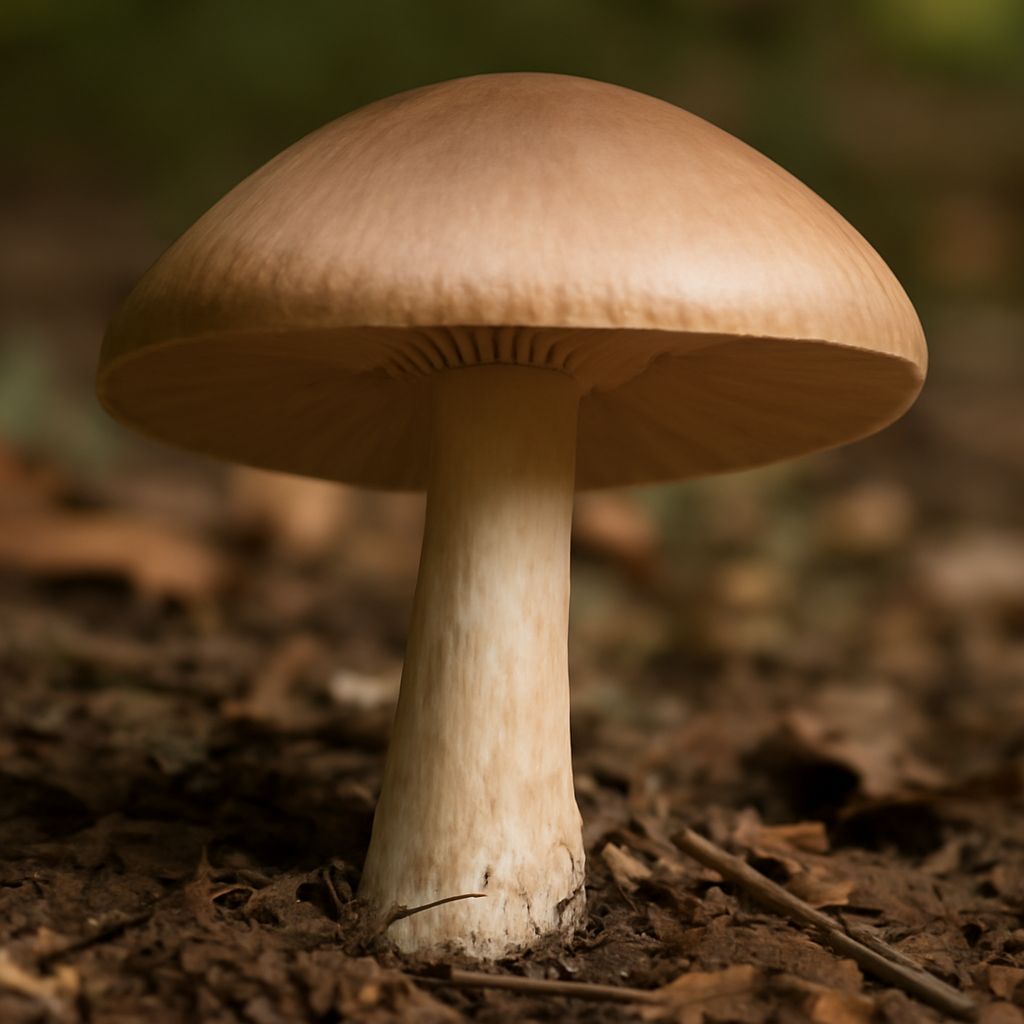
Mushroom illustrations have experienced a remarkable popularity surge in contemporary decorative art and illustration. The appeal is partly aesthetic — mushrooms have distinctive shapes, varied textures, and often dramatic color that make them intrinsically interesting to draw — and partly cultural, connecting to renewed interest in foraging, natural medicine, and ecological awareness.
Two distinct traditions inform contemporary mushroom illustrations: the natural history illustration tradition, which requires botanical accuracy for species identification purposes, and the folkloric decorative tradition, which prioritizes whimsy, stylization, and decorative arrangement over scientific accuracy. The most appealing contemporary mushroom illustrations often combine elements of both — accurate enough in shape and color to be recognizable as specific species, stylized enough in rendering and composition to feel expressive and designed rather than merely documentary.
Key species worth studying for digital illustrations of mushrooms: Amanita muscaria (the iconic red cap with white spots), chanterelles (bright yellow-orange with forked false gills), morels (honeycomb-textured cap), and oyster mushrooms (fan-shaped clusters in pearl-white or blue-gray). Each has a distinctive silhouette that reads immediately when rendered with appropriate accuracy.
Digital Drawing Tips for Improving Illustrators
Digital drawing tips that genuinely accelerate development focus on the specific challenges digital media creates rather than repeating advice that applies to all drawing equally:
- Work at a higher canvas resolution than you think necessary — you can always scale down, but upscaling loses quality. 3000×3000 pixels at 300 dpi for print work is a good default for most illustration sizes.
- Use a reference image panel alongside your canvas at all times. Digital illustration makes it easy to work from imagination alone because everything is possible, but imagination unanchored by observation produces generic results.
- Zoom out to evaluate your work at reduced size regularly. Digital drawing tips consistently emphasize this because digital illustration makes it easy to over-detail areas that will be invisible at final display size.
- Use the color picker to select colors already in your painting rather than always mixing from scratch. This keeps color harmony consistent without requiring formal color theory knowledge.
Digital Number Fonts for Illustration Work
Digital number fonts appear in digital illustrations contexts whenever typography integrates with illustration — infographics, editorial illustration with data, product design, book and magazine spreads, and social media graphics. The requirements for digital number fonts in illustration contexts differ from those in pure typography work: legibility at small sizes matters less than aesthetic coherence with the surrounding illustration style.
For illustrated content where the numerals are visual elements as much as readable information, digital number fonts with distinctive character — custom-drawn, historical revival, or display faces with strong personalities — often serve better than utilitarian text fonts. The numeral style should be chosen to feel consistent with the illustration’s overall visual world rather than selected purely for legibility.